PVM Web Interface
A web platform that unifies surveillance monitoring and public display control.
00

problem
Public View Monitors serve two roles at once: they reinforce security presence while also acting as visual communication tools within public spaces. Most surveillance platforms treat these needs separately, offering limited control over on-screen branding, layout, or messaging. This disconnect often results in inconsistent displays, unclear communication, and missed opportunities to build trust and brand recognition.
solution
The PVM Interface was designed to give operators full visual and functional control over their PVMs from a centralized web platform. Users can monitor live feeds while editing screen layouts, inserting logos, adjusting content regions, and scheduling advertisements or messaging—all without disrupting system stability. The interface supports intentional design decisions rather than default layouts, allowing public-facing screens to feel deliberate and professional.
The design of the PVM Interface began with the understanding that public screens communicate more than surveillance—they communicate intent.
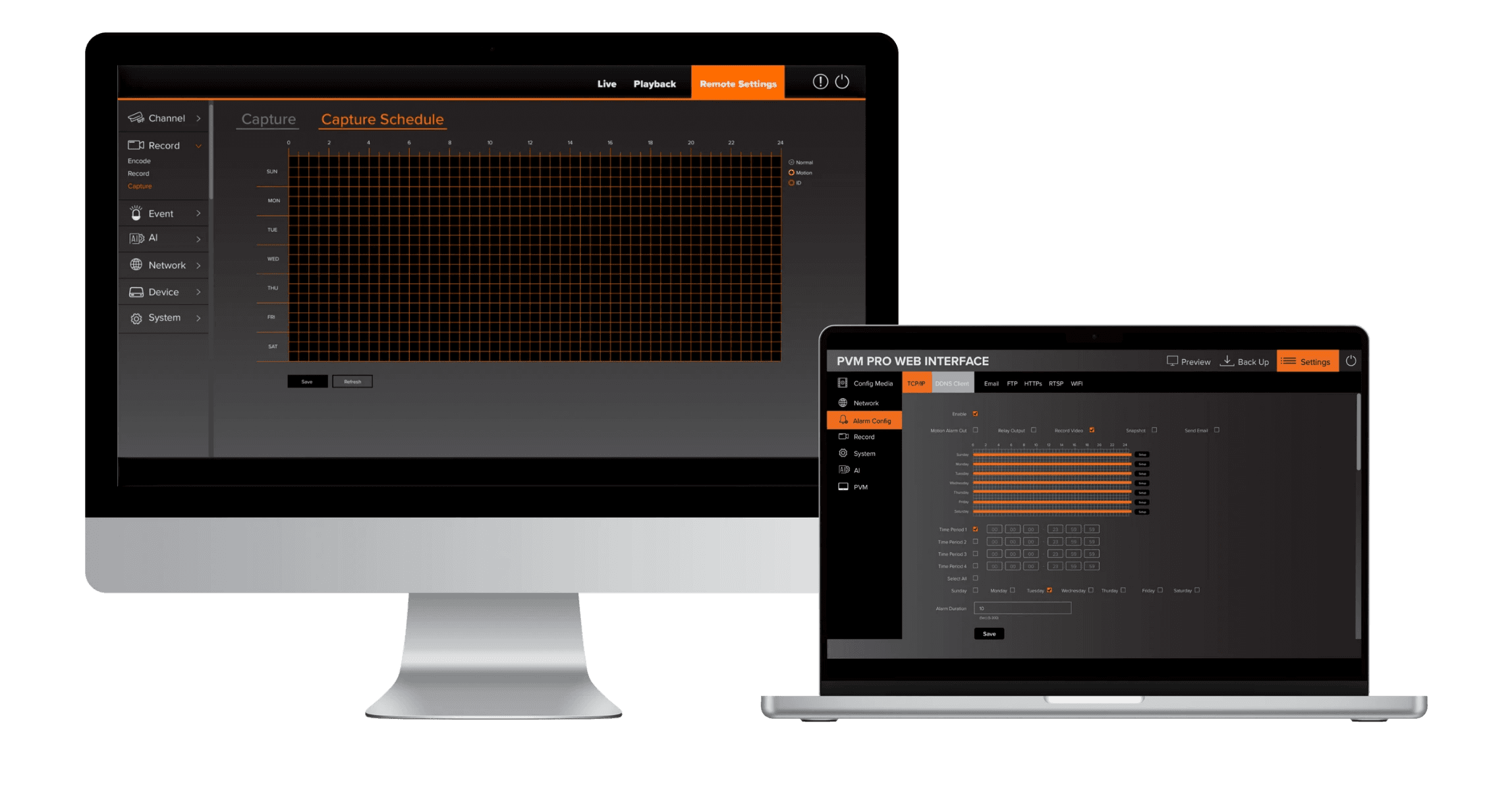
Rather than treating Public View Monitors as passive outputs, this platform reframes them as active, configurable surfaces. The challenge was to design an interface that allows users to confidently edit what the public sees—logos, advertisements, layouts—while maintaining continuous monitoring and system awareness.
Every interaction was designed to feel predictable and reversible, reducing anxiety around making live changes. Visual structure plays a critical role: clear boundaries between editable regions, immediate feedback, and restrained use of color help users understand the impact of their actions before they commit.
Built in Adobe Illustrator, the interface reflects a system-level design approach—where monitoring, branding, and communication coexist without conflict. The result is a platform that empowers users to manage public-facing surveillance displays with clarity, consistency, and control.
year
2025
timeframe
20 days
tools
Adobe Illustrator
category
UI/UX
01

02

03

04

05


